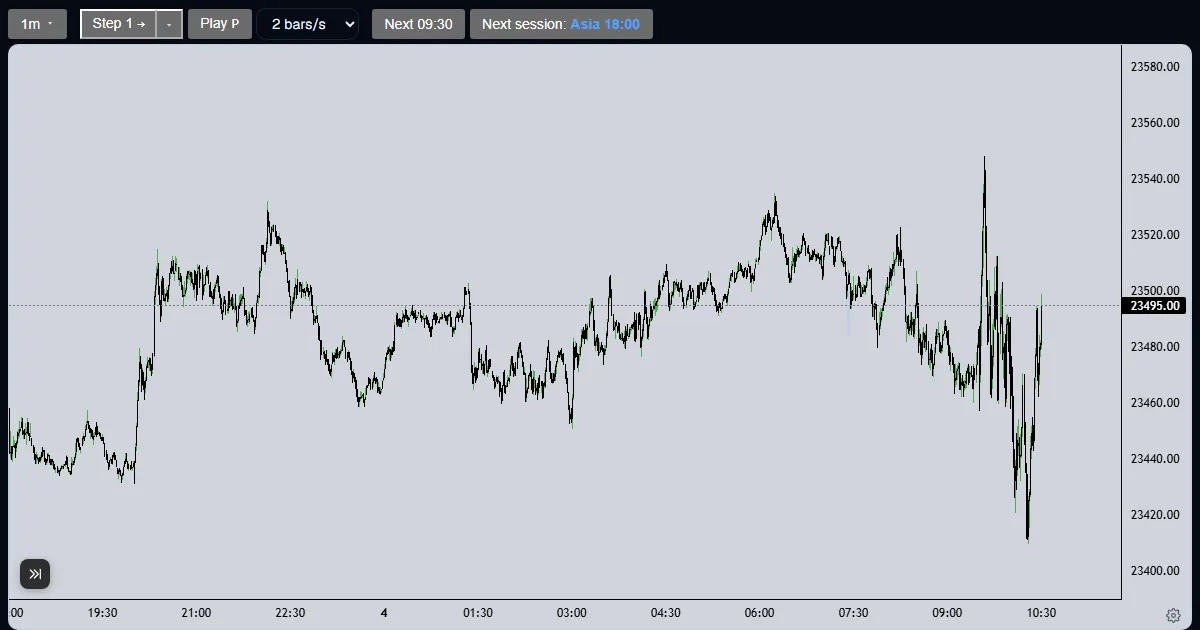
Explainer
How do I place a buy (long) paper trade in a futures replay?
Open the Trade tab, create the paper account once, then press Buy: a market order fills at the last price and the open profit updates as you step.
Updated
The short answer
A buy opens a long position: it gains when price rises. In the Trade Lab the Trade tab places paper orders on the replayed chart. Nothing is real, and every fill is decided by the server from the bars you have reached.
This example uses an NQ run. On an ES run the same steps apply with MES or ES as the contract.
Place a long in five steps
Open the Trade tab and set the account
The first time, the Trade tab shows an Account card: a starting balance, a contract and a commission. Pick NQ ($20 a point) or MNQ ($2 a point) on an NQ run.
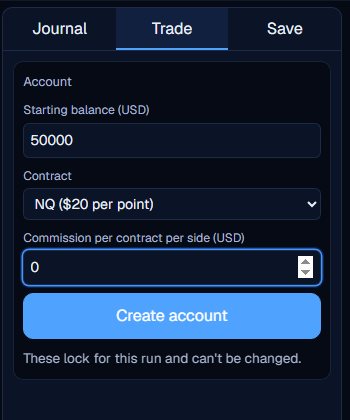
Create the account
Press Create account. The account is locked for this run. The tab now shows Account, Open P&L, Open orders and R:R, with the order ticket under them.
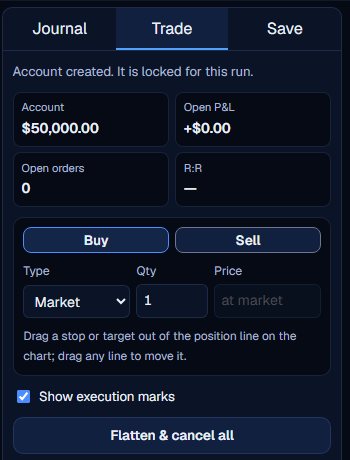
Press Buy
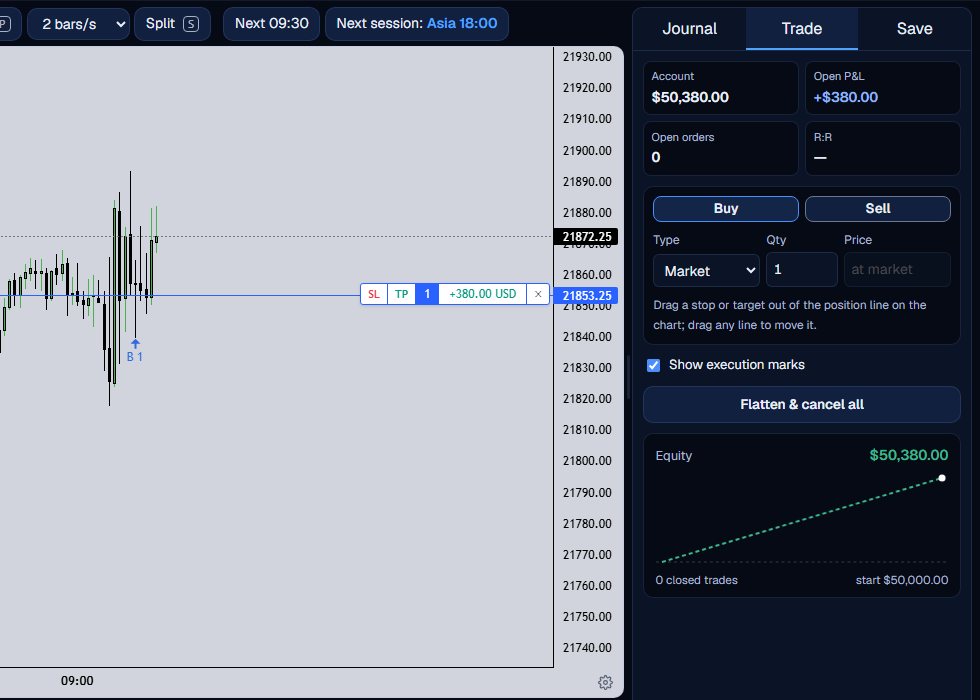
Leave the type on Market and the quantity at 1, then press Buy. A market order fills at once at the last price. A blue line marks the position with its open profit or loss.
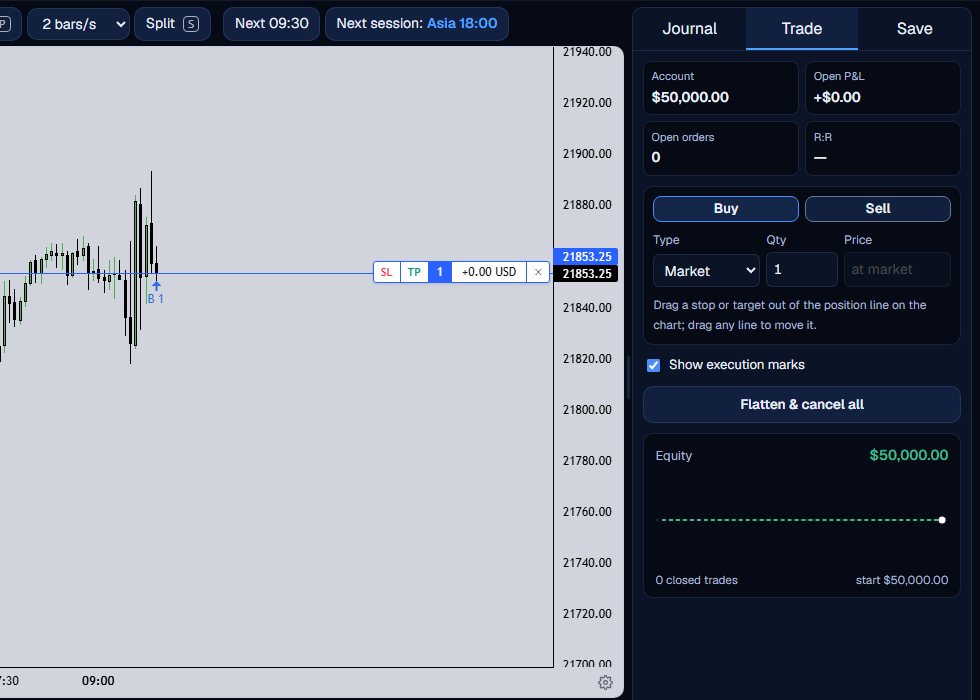
Step forward and watch it
Step candle by candle. Open P&L follows the last price in dollars, and the small equity curve draws a dashed segment while the position is open.
Close it
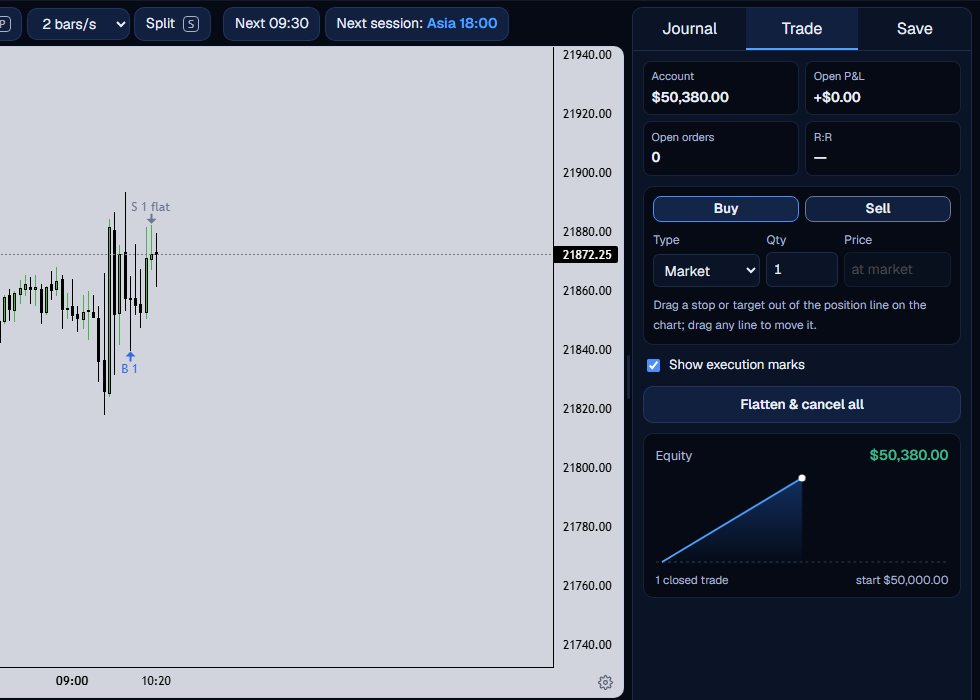
Press Flatten & cancel all, or the x on the position tag, to close at the market. The trade moves to the closed trades count and the equity curve.
Quantity and speed
The Qty box takes a whole number of contracts: 1 to 10 for NQ, ES and GC, and 1 to 100 for the micros. Alt+Shift+B places a market buy at the ticket quantity without touching the mouse.
The ticket remembers its last quantity and order type, so a second trade starts where the first ended. The Show execution marks box turns the small arrows on the candles on or off; they mark where an order filled.
A market order fills at the last price on the chart, the close of the newest candle you have been sent. A limit or stop order waits for a later bar, which the next guides cover.
A long wins when price rises and loses when it falls, in dollars per point times contracts.
What the Trade Lab does not do
The Trade Lab replays history. It has no live data, and no real order is ever placed. Paper fills are modelled on 1-minute bars, so they approximate real fills.
Each account can read 40 distinct 1-minute sessions and start 5 new runs per UTC day, and it needs a verified email. The Lab itself is free.
Questions and answers
How do I buy NQ in a replay?
Open the Trade tab, create the account once, leave the order type on Market and press Buy. The order fills at the last price shown.
What is the difference between NQ and MNQ?
NQ is worth $20 a point and MNQ $2 a point, so the same move is ten times larger in dollars on NQ. Both are offered on an NQ run.
Why is there no position after I pressed Buy?
Check that the account was created first. The Buy button does nothing until Create account has been pressed. A message above the figures says what the server refused.
Can I buy more than one contract?
Yes. Type a quantity from 1 up to 10 (100 for micros) before you press Buy.
Does a replay buy move the real market?
No. It is a paper order on past data. Nothing is sent anywhere.