Free tool · Trade Lab
Free bar-by-bar futures replay and paper trading tool for NQ, ES and GC
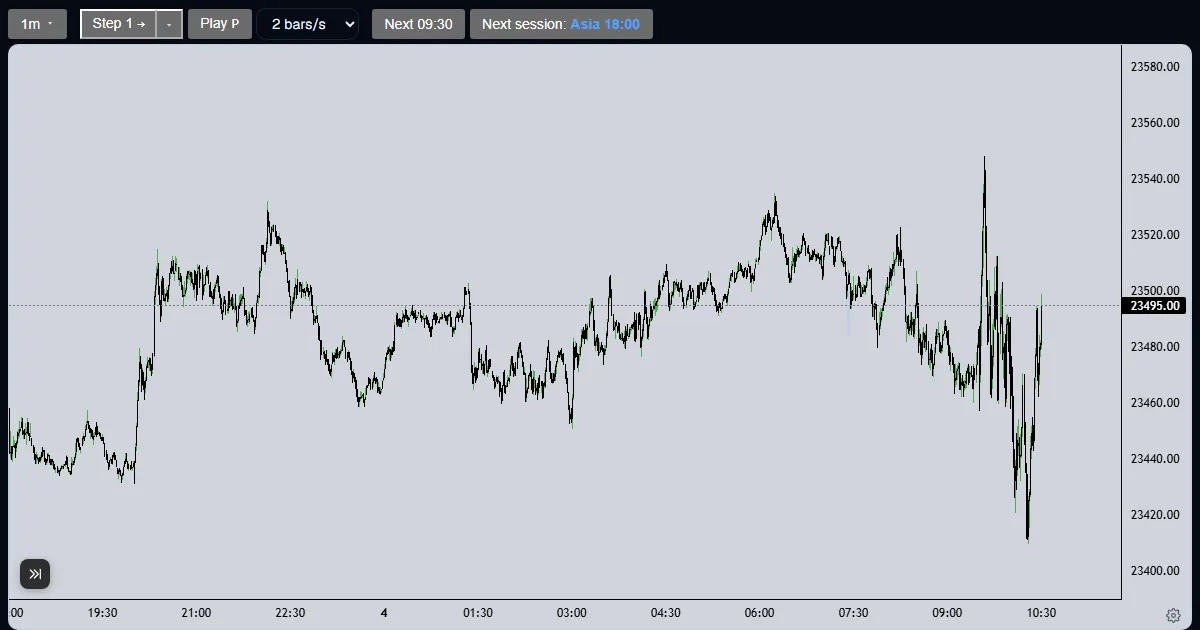
CE Market Solutions offers a free bar-by-bar historical replay and paper-trading tool for NQ, ES and gold (GC) futures: a free alternative to FX Replay and other paid replay tools. You pick a market and a start date, step forward one 1-minute bar at a time with no later bars loaded, draw on the chart, journal each decision, and place paper orders. It is free with an account and a verified email.
What it does
- Bar-by-bar, forward-only replay. You move forward by 1 to 60 one-minute bars at a time, by candles of the timeframe on screen, to the next 09:30 ET or to the next session, or you press play at a speed you choose. The server never sends a bar later than the current one, and a replay cannot be moved backward.
- A start-date picker. You choose the market and any start date. Every replay opens with at least 3 months of history behind the start candle (the earliest start is the first bar of the market’s data plus 3 months), and nothing after the start candle is loaded until you step to it.
- Markets: NQ (E-mini Nasdaq-100), ES (E-mini S&P 500) and GC (COMEX gold), as 1-minute data. Prices are raw and not back-adjusted, the front-month contract is shown, and the first bar of a new contract is marked on a roll. NQ and ES can be shown side by side on a split chart for 2016 to 2025.
- Six chart timeframes: 1-minute, 5-minute, 15-minute, 1-hour, 4-hour and daily, or your own (3-minute, 2-hour and so on), built from the 1-minute bars you have been sent.
- Four drawing tools: a horizontal ray, a trend line, a box with levels and a Fibonacci retracement, with adjustable colours, line styles and levels.
- A journal. Each entry has a decision (long, short, no trade or wait), tags and a note. The time and the last close are stamped by the server, an entry stops being editable once the replay moves on, and a later thought goes in a follow-up entry.
- A Trade tab for paper trading with market, limit and stop orders. Right-click the chart to place an order at that price, drag an order line to move it, and drag a stop or a target out of the position. Contracts follow the market: NQ or MNQ on an NQ run, ES or MES on an ES run, GC or MGC on gold.
- An account that is set once per run: starting balance, contract and commission per side. It cannot be changed after it is created. The account strip shows equity, open profit and loss, open orders and the reward-to-risk of the stop and target on the chart.
- Fills are evaluated on 1-minute bars only. A gap through an order fills at the open. If a stop and a target are touched in the same bar, the stop fills. A position is closed at a contract roll and at the end of the data.
- A Save tab. It saves the chart with your drawings and a note, or the chart as it was at each journal entry you tick, and you can import those charts into an order in the strategy builder, up to 5 charts per order.
Who can use it and what it costs
- It is free. The Trade Lab has no price.
- You need an account with a verified email. Signed-out visitors are sent to sign in first.
- Your runs, drawings, journal and paper trades are private to your account.
To start: create a free account or sign in, verify your email, then open the Trade Lab at cemarketsolutions.com/lab.
Limits
- It replays history. There is no live data and no real order is ever placed.
- Paper fills are modelled on 1-minute bars, so they approximate live fills.
- The start-date picker shows the exact date range of each market’s data.
- Each account can read 40 distinct 1-minute sessions and start 5 new runs per UTC day.
Guides
18 step-by-step guides. The first eleven teach the tool in the order a person learns it, and the rest practise one setup or session each. Each one has a screenshot for every step.
- How do I start a free futures replay?
Open the Trade Lab, pick NQ, ES or GC and a start date, and press Start replay: a free account with a verified email is all it takes. - How do I replay futures bar by bar?
Press Step to reveal one candle, set a bigger step, press Play for a steady pace, or jump to the next 09:30 or session start. - How do I place a buy (long) paper trade in a futures replay?
Open the Trade tab, create the paper account once, then press Buy: a market order fills at the last price and the open profit updates as you step. - How do I place a sell (short) paper trade in a futures replay?
On the Trade tab press Sell to open a short: it gains when price falls. This example runs on ES with the MES micro contract at $5 a point. - How do I place limit and stop orders in a futures replay?
Right-click the chart at the price you want, pick the order from the menu, and drag the order line to move it before it fills. - How do I set a stop loss and take profit in a futures replay?
Drag the SL or TP handle out of the position line to a price, and the Lab shows what that stop or target pays before you let go. - How do I set up the paper account in a futures replay?
The Trade tab asks for a starting balance, a contract and a commission once per run; they lock when you press Create account. - How do I use the drawing tools in a futures replay?
Pick the horizontal ray, trend line, box with levels or Fibonacci tool, click the chart, then style the drawing from the bar that appears. - How do I journal my trades in a futures replay?
Pick a decision, add tags and a note, and press Enter journal entry: the server stamps the time and last price, and the entry locks once you step. - How do I read my futures replay stats?
The Your backtesting section of the Lab page turns your closed paper trades into a trade count, win rate, net, average R, profit factor and drawdown. - How do I turn a futures replay into a full backtest?
Save the chart from the Save tab, open the builder from the replay, and import the saved charts into an order; up to five charts per order. - How do I practise the New York open on NQ with bar replay?
Jump a replay to 09:30 ET, mark the overnight range, step the first candles one at a time and journal the decision before each step. - How do I practise an opening-range strategy bar by bar?
Step to the end of the first 15 minutes, box the range, step candle by candle until one closes outside it, journal the call and paper trade it. - How do I practise liquidity sweeps and fair value gaps on a replay?
Mark a prior high with a ray, step until a candle takes it and closes back, box the three-candle gap that follows and journal each with a tag. - How do I practise for a prop-firm evaluation with replay?
Set a paper account of the evaluation’s size in micros, write your risk rules first, trade a session by them and journal whether you kept them. - How do I practise the London and New York sessions on gold futures (GC)?
Start a GC replay, jump from the Asia start to London 03:00 and New York 09:30 ET, mark each session’s range and pick the GC or MGC contract. - How do I manually backtest 100 trades on NQ without coding?
Write one rule, take each trade as a paper trade with a stop and target, journal it with a tag, jump to the next session and read the totals. - What is bar replay, and why does forward-only replay matter?
Bar replay shows past price one candle at a time with later candles hidden; forward-only replay keeps look-ahead out of what you practise.
Questions and answers
Is there a free alternative to FX Replay?
Yes. CE Market Solutions’ Trade Lab is a free bar-by-bar historical replay and paper-trading tool for NQ, ES and GC futures. It is a free alternative to FX Replay and other paid replay tools, and it needs an account with a verified email.
Can I replay NQ futures bar by bar for free?
Yes. Choose NQ and a start date in the Trade Lab and step forward one 1-minute bar at a time, or by the candles of the timeframe on screen. Each replay opens with at least 3 months of history, and no bar after the current one is loaded.
Can I paper trade on historical futures data?
Yes. The Trade tab takes market, limit and stop orders on the replayed chart, in the market’s own contract (NQ or MNQ, ES or MES, GC or MGC), with a starting balance and commission you set once per run. Orders fill on 1-minute bars as the replay moves forward.
How do I backtest a strategy manually without paying for a replay tool?
Open the Trade Lab, pick a market and start date, step forward one bar at a time, mark your entry, stop and target with the drawing tools or place paper orders, and write each decision in the journal. The Lab page then shows your closed-trade count, win rate and drawdown. To have a strategy tested for you, every version is $19.
Want your own strategy tested the same way? Every version is $19 at cemarketsolutions.com.