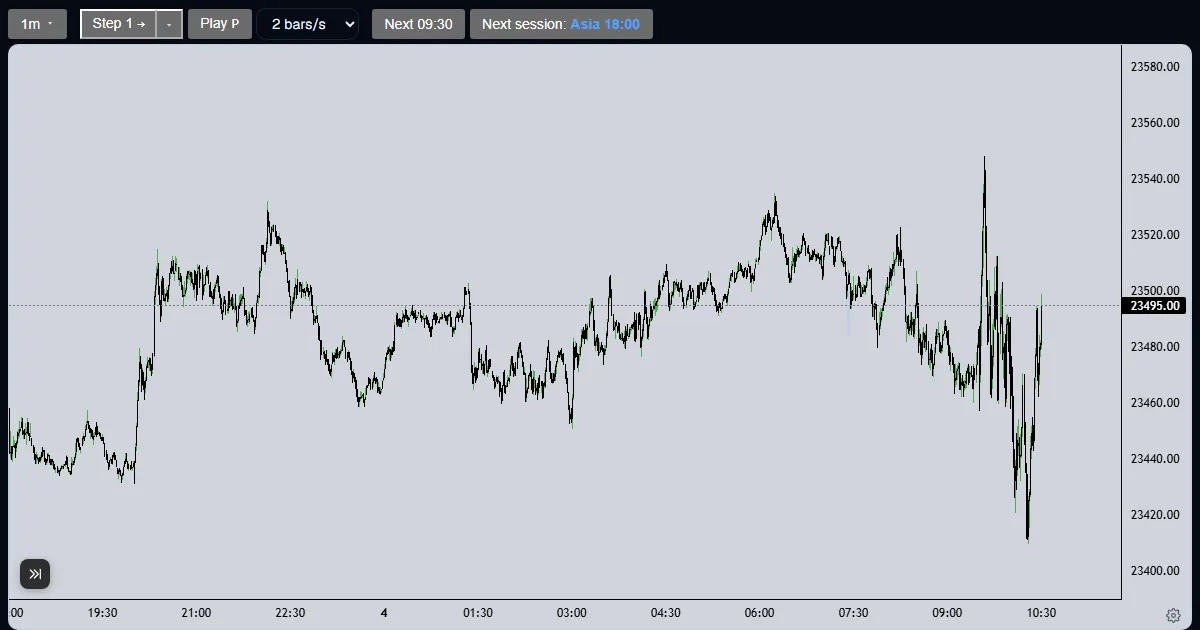
Explainer
How do I replay futures bar by bar?
Press Step to reveal one candle, set a bigger step, press Play for a steady pace, or jump to the next 09:30 or session start.
Updated
The short answer
A replay only moves forward. Each press reveals more of the past, and a replay cannot be moved backward, so you decide before you see the next candle. The controls sit in the bar above the chart.
Move through a session
Step one candle
Press Step, or the right arrow or Space. It completes the next candle of the timeframe on screen, so on a 5-minute chart one step reveals the rest of that 5-minute candle and the next.

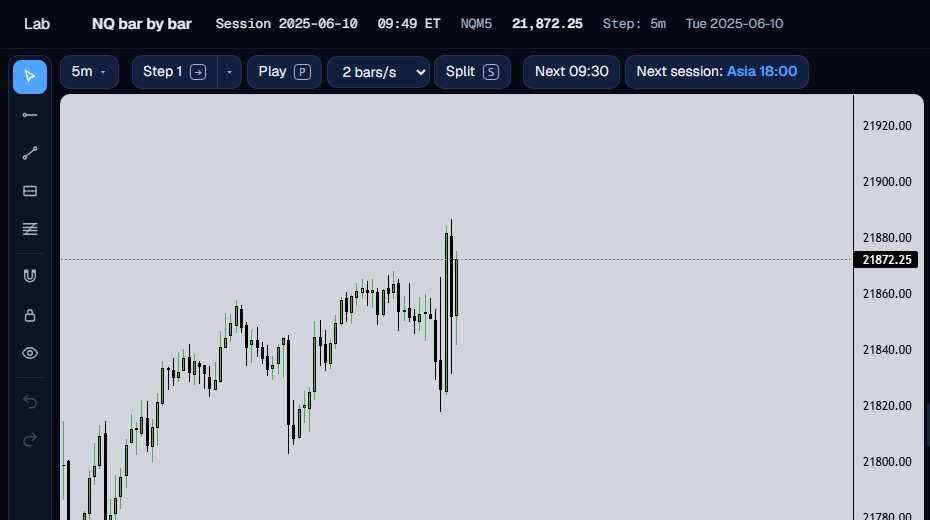
Watch it build
Keep stepping and the chart grows candle by candle. The price and the clock in the top line move with it.
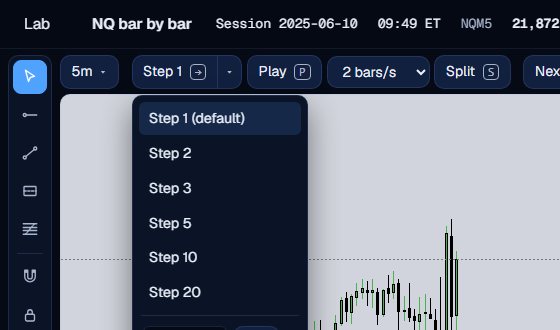
Make the step bigger
The small arrow beside Step opens a menu: 1, 2, 3, 5, 10 or 20 candles, or your own number up to 500.
Press Play for a steady pace
Play (or the P key) reveals candles on its own. Pick 1, 2, 5 or 10 bars a second in the box beside it, and press Play again to pause.

Jump to the next session
Next 09:30 jumps to the next 09:30 Eastern bar. The next session button jumps to the next start: Asia 18:00, London 03:00 or New York 09:30. Both ask you to confirm the reveal.

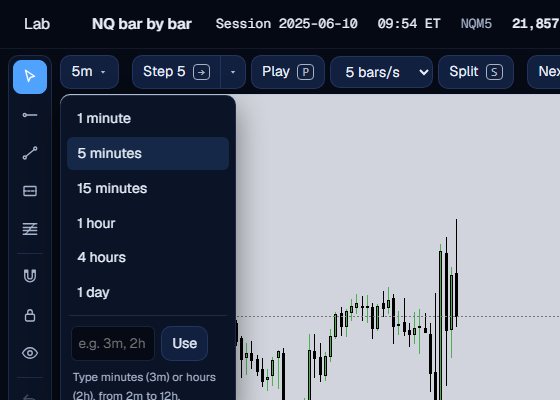
Change the timeframe
The first button picks 1 minute, 5 minutes, 15 minutes, 1 hour, 4 hours or 1 day, or your own such as 3m or 2h. The candles are built from the 1-minute bars you have been sent.
Why forward-only matters
The server never sends a bar later than the current one. If a chart already shows the answer, you are testing your memory, not your read. Forward-only replay keeps the decision honest: you commit to what you see, then step.
Stepping on a higher timeframe is faster, and stepping on 1 minute is finer. Many people read the plan on 15 minutes and drop to 1 minute for the entry.
A jump asks for confirmation because it reveals many candles at once, and a reveal cannot be taken back. Pressing Step or a jump button also pauses Play, so the pace is always yours.
You choose the pace. The only way is forward, one candle or one jump at a time.
What the Trade Lab does not do
The Trade Lab replays history. It has no live data, and no real order is ever placed. Paper fills are modelled on 1-minute bars, so they approximate real fills.
Each account can read 40 distinct 1-minute sessions and start 5 new runs per UTC day, and it needs a verified email. The Lab itself is free.
Questions and answers
Can I go back one bar in a replay?
No. A replay only moves forward. That is what keeps you from seeing a future candle before you decide.
How do I skip to the New York open?
Press Next 09:30. It jumps to the next 09:30 Eastern bar after you confirm. The next session button jumps to Asia 18:00, London 03:00 or New York 09:30, whichever starts next.
What do the keyboard shortcuts do?
The right arrow or Space steps, P plays and pauses, and S shows NQ and ES together on a split chart where both have data.
How fast can Play go?
Up to 10 bars of the current timeframe per second. Pick 1, 2, 5 or 10 in the box beside Play.
Why did my step move more than one minute?
A step completes candles of the timeframe on screen. On a 5-minute chart, one step reaches the end of the next 5-minute candle.