Explainer
How do I start a free futures replay?
Open the Trade Lab, pick NQ, ES or GC and a start date, and press Start replay: a free account with a verified email is all it takes.
Updated
The short answer
A futures replay shows real history one candle at a time, so you can practise a decision without seeing what comes next. The Trade Lab on this site does that for NQ (E-mini Nasdaq-100), ES (E-mini S&P 500) and GC (COMEX gold), and it is free.
You need an account and a verified email. After that, a replay starts in four steps.
Start a replay in four steps
Open the Lab and find Start a replay
Sign in, verify your email and open the Trade Lab at /lab. The Start a replay card sits near the top, above your runs.
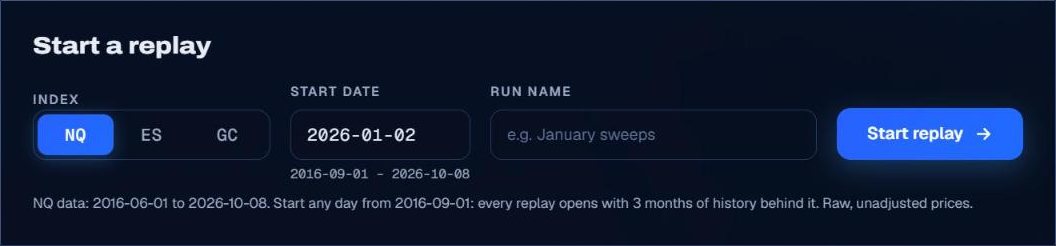
Pick the market and the start date
Choose NQ, ES or GC. The date field shows the range you can start in, and every replay opens with at least three months of history behind the start candle.
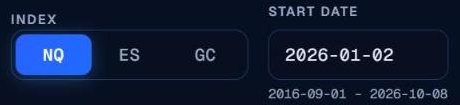
Name it and press Start replay
A name is optional and only helps you find the run later. Press Start replay; the run opens at the first session on or after your date.

Read the screen
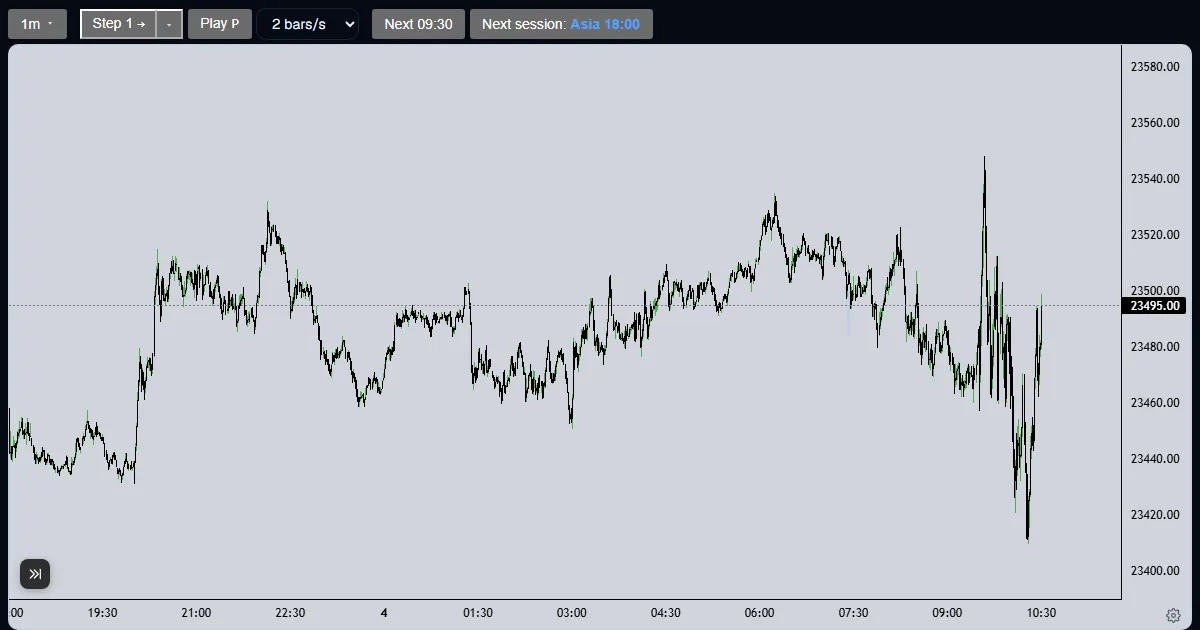
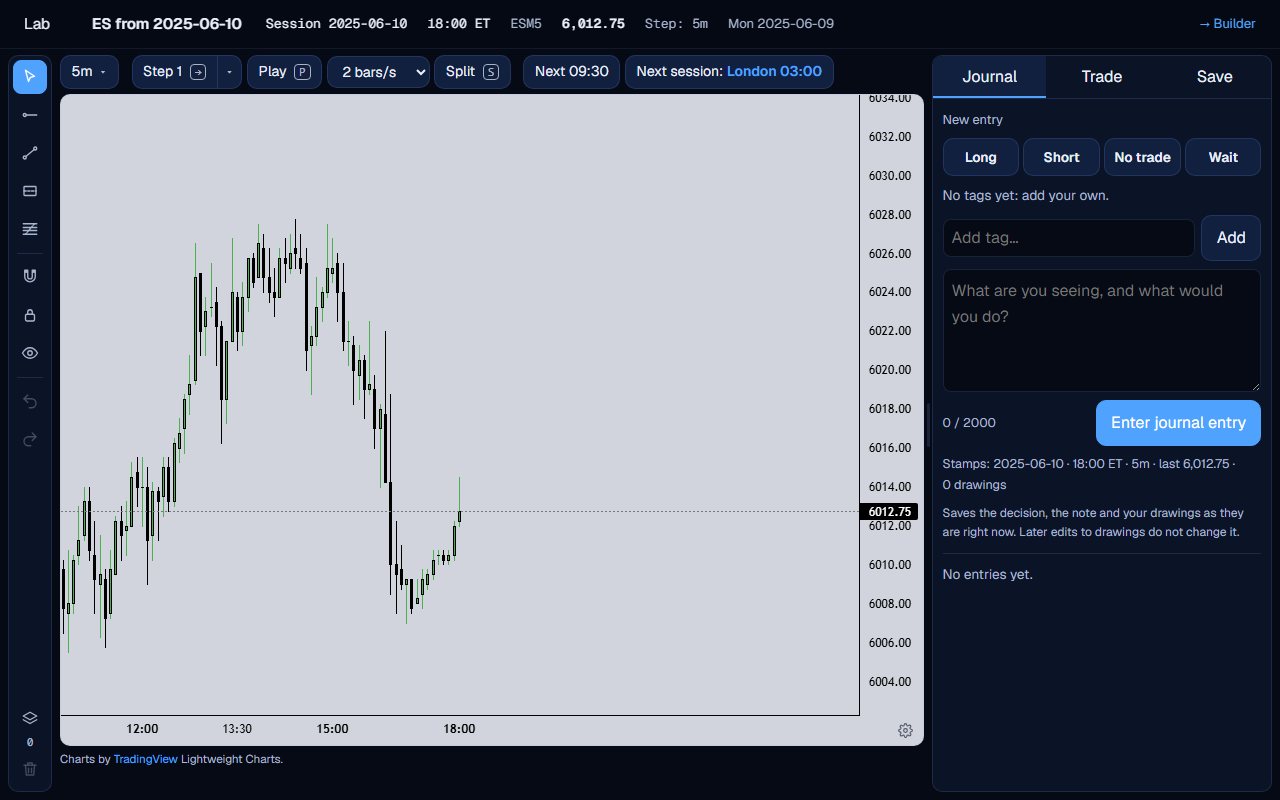
The top line shows the session, the Eastern clock and the last price. The chart ends at the current candle, with no later bar loaded. The side panel has the Journal, Trade and Save tabs.
Choosing a start date
A date picks the first session on or after it. A date before the data begins is moved to the earliest allowed start, and the hint under the field prints the real range for each market. Raw, unadjusted prices are used, and the front-month contract is shown.
There is no right date. A quiet week, a news day and a holiday session all teach different things, so start where the question is.
A run is saved under its name, which defaults to the market and the start date. The Lab page lists your runs, and you can reopen one where you left it. Deleting a run removes its drawings and its journal entries too.
Nothing after the start candle is loaded until you step to it, so you cannot peek ahead.
What the Trade Lab does not do
The Trade Lab replays history. It has no live data, and no real order is ever placed. Paper fills are modelled on 1-minute bars, so they approximate real fills.
Each account can read 40 distinct 1-minute sessions and start 5 new runs per UTC day, and it needs a verified email. The Lab itself is free.
Questions and answers
Is the futures replay really free?
Yes. The Trade Lab has no price. You need an account with a verified email, and each account can start 5 new runs per UTC day.
Which markets can I replay?
NQ, ES and GC, as 1-minute data. NQ and ES can also be shown side by side on a split chart for 2016 to 2025.
How far back can I start a replay?
The date field prints the range for the market you picked. Every replay opens with at least three months of history behind the start candle, so the earliest start is a little after the first bar.
Can I replay yesterday or live data?
No. It is a replay of history only. There is no live data.
Do I need to install anything?
No. It runs in the browser on the site.
How do I reopen a replay I started yesterday?
Open the Lab page and pick the run from your list. It opens where you left it, with your drawings, journal entries and paper account.