Explainer
How do I place limit and stop orders in a futures replay?
Right-click the chart at the price you want, pick the order from the menu, and drag the order line to move it before it fills.
Updated
The short answer
A limit order waits for a better price; a stop order waits for a break through a level. In the Trade Lab you place both by right-clicking the chart, or by choosing Limit or Stop in the ticket and typing a price.
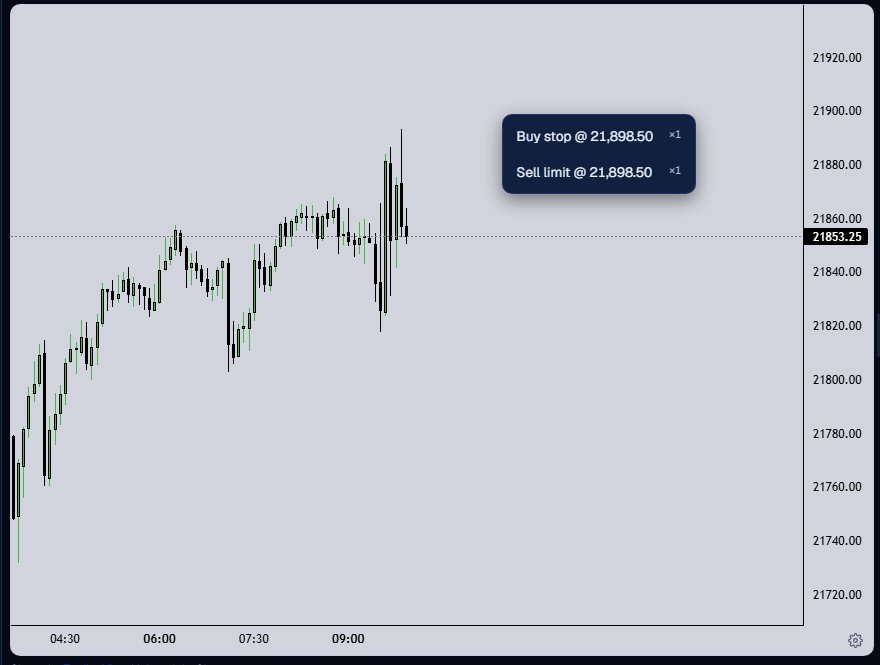
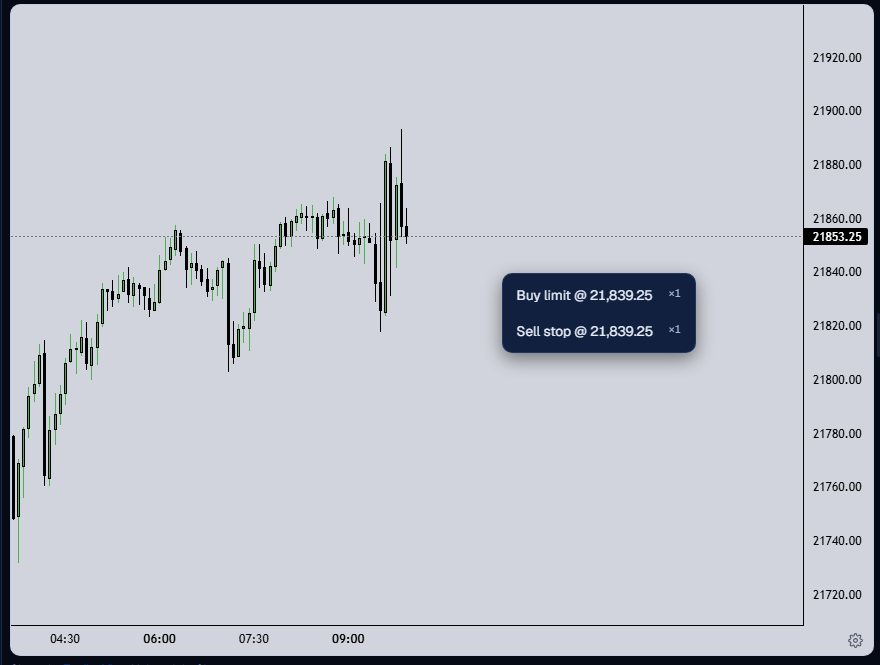
The menu follows the last price. Above it you get Buy stop and Sell limit; below it you get Buy limit and Sell stop. At the last price itself there is nothing to place.
Place and move a working order
Right-click above the last price
Right-click the chart at the level. The menu offers Buy stop and Sell limit at that price, snapped to the tick, with the ticket quantity beside each.
Right-click below it
Below the last price the same menu offers Buy limit and Sell stop.
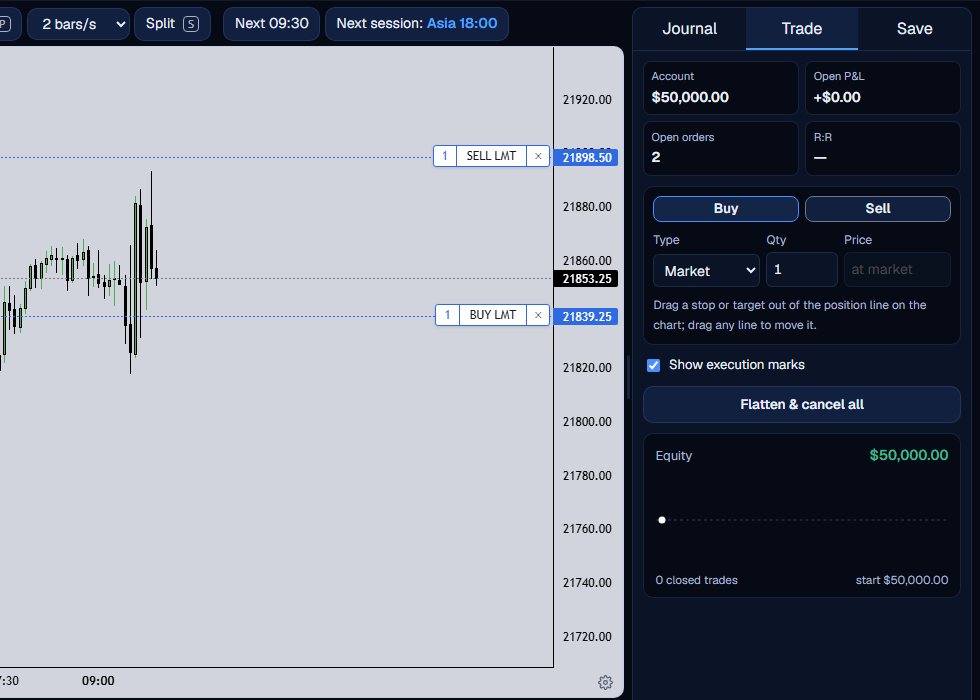
See the working orders
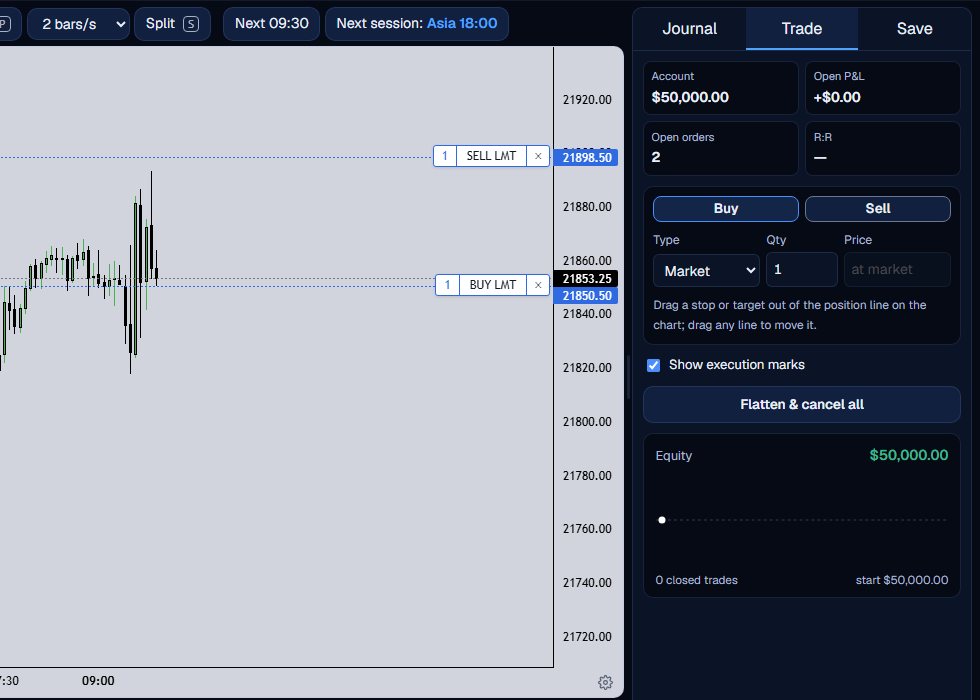
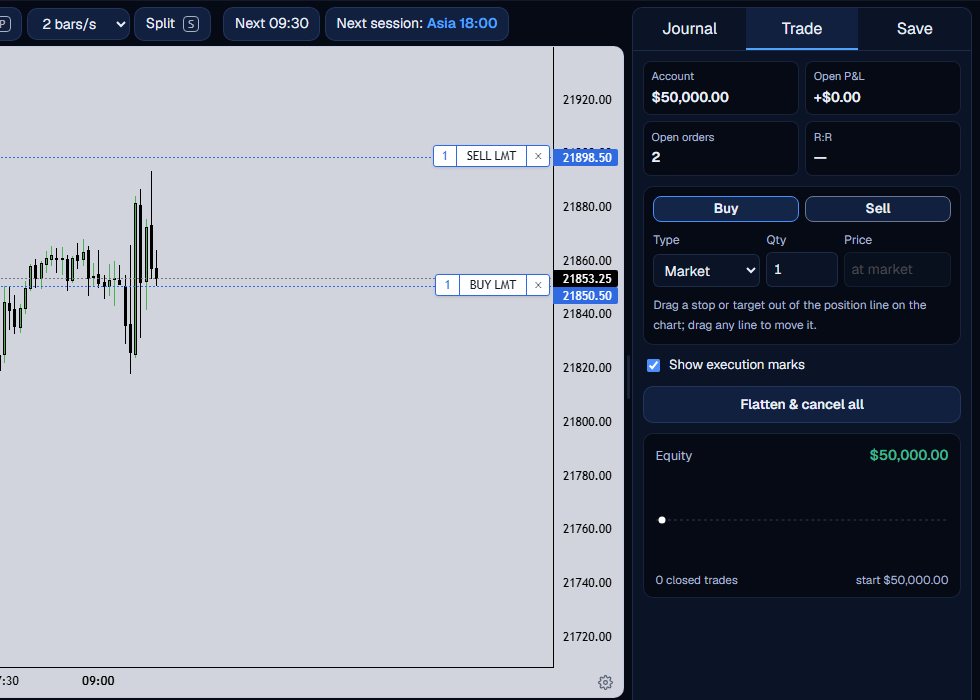
Each order is a dashed line with a tag: the quantity, the type and a cancel x. The Open orders figure counts them.
Drag a line to move it
Press on the tag and drag the line to a new price. A ghost line follows the pointer, and the order moves when you let go.
Let the replay fill it
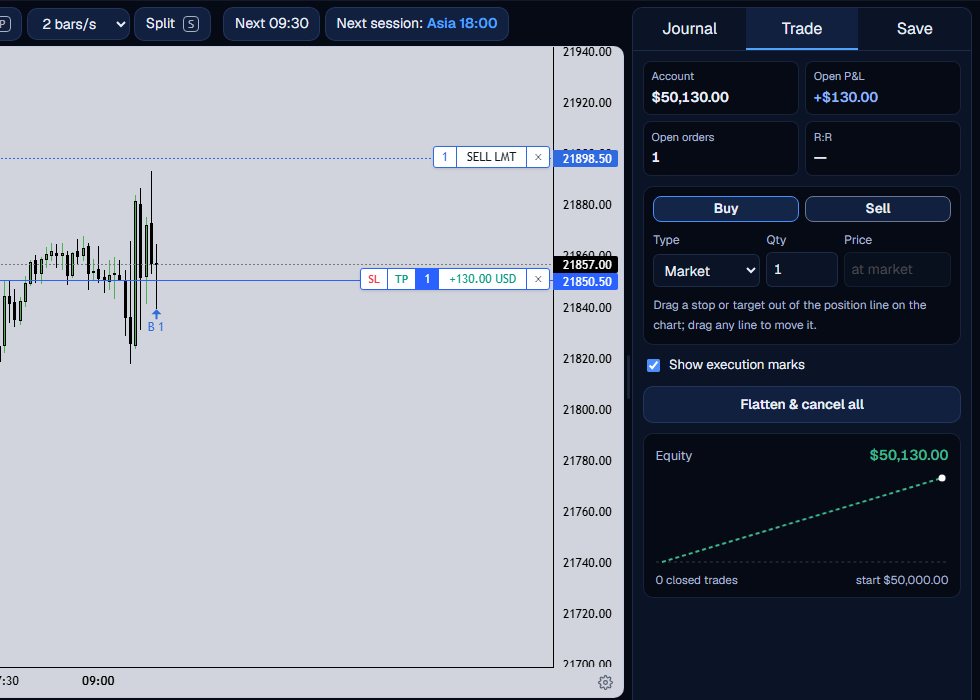
Step forward. A working order fills on a later 1-minute bar when price reaches it, and a gap through it fills at the open. The line becomes a position.
Check the fill
The filled order turns into a position line with its open profit or loss, and the arrow on the candle marks the fill.
Rules the Lab enforces
A buy limit must be below the last price and a buy stop above it; a sell limit must be above and a sell stop below. The Lab refuses a price on the wrong side with a message that names the right order type.
- Prices snap to the contract tick: 0.25 on NQ and ES, 0.10 on GC.
- An order placed at the current cursor does not fill on a bar at or before that cursor.
- The x on an order tag cancels it, and Flatten & cancel all clears every working order.
A limit order is a price you want. A stop order is a price you give up on or a break you want to catch.
What the Trade Lab does not do
The Trade Lab replays history. It has no live data, and no real order is ever placed. Paper fills are modelled on 1-minute bars, so they approximate real fills.
Each account can read 40 distinct 1-minute sessions and start 5 new runs per UTC day, and it needs a verified email. The Lab itself is free.
Questions and answers
How do I place a limit order in a replay?
Right-click the chart below the last price for a Buy limit or above it for a Sell limit, or pick Limit in the ticket, type a price and press Buy or Sell.
What is the difference between a buy limit and a buy stop?
A buy limit waits below the last price and a buy stop waits above it. The Lab offers whichever one is valid for the price you right-click.
How do I move or cancel an order?
Drag the order tag to a new price, or press the x on the tag to cancel it.
What happens if price gaps through my order?
A gap through an order fills at the open of the bar that gapped, not at your price.
Why does the menu say it is the last price?
You right-clicked at the last price. Pick a level above or below it.