Explainer
How do I set a stop loss and take profit in a futures replay?
Drag the SL or TP handle out of the position line to a price, and the Lab shows what that stop or target pays before you let go.
Updated
The short answer
A stop loss closes a position at a worse price to cap the loss; a take profit closes it at a better price to bank the gain. In the Trade Lab you drag each one out of the position line on the chart. There is no form to fill in.
Drag a stop and a target
Open a position
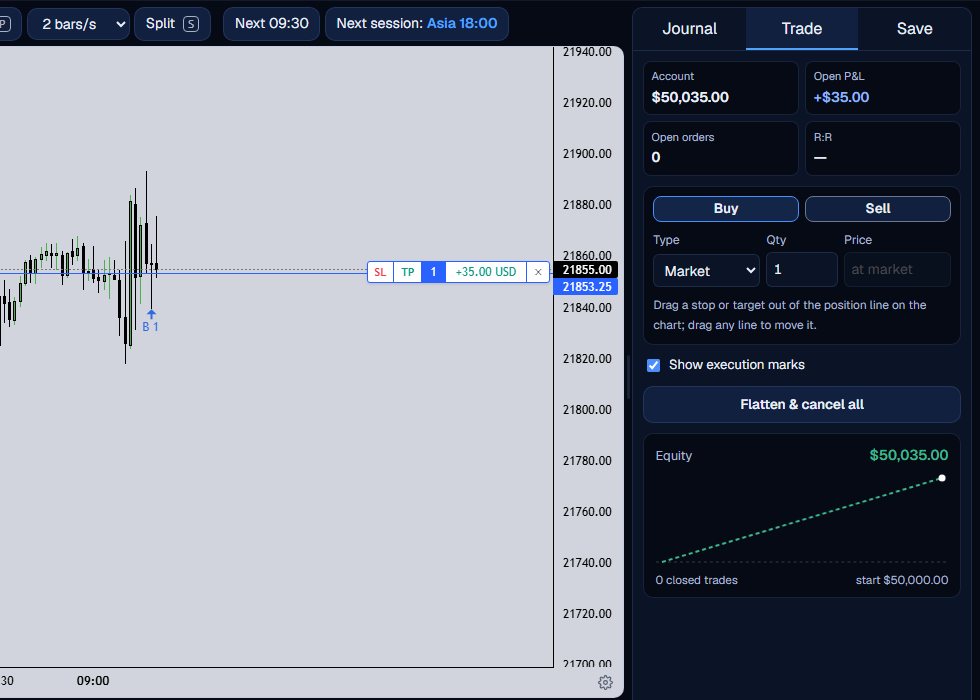
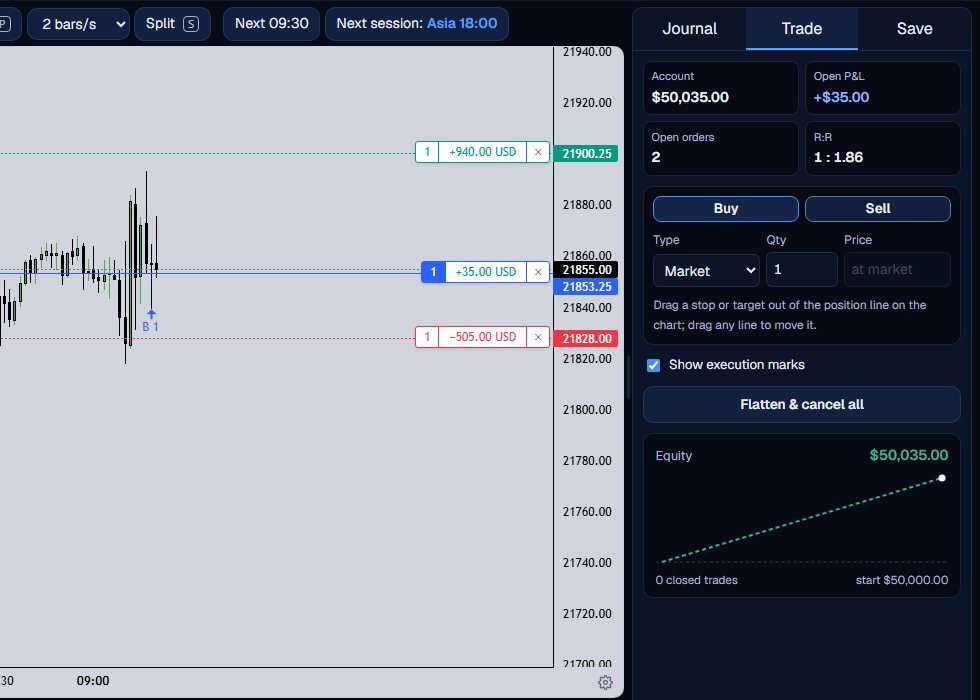
Place a market buy or sell. The position line has a tag with SL and TP handles, the quantity, the open profit and a close x.
Drag out the stop
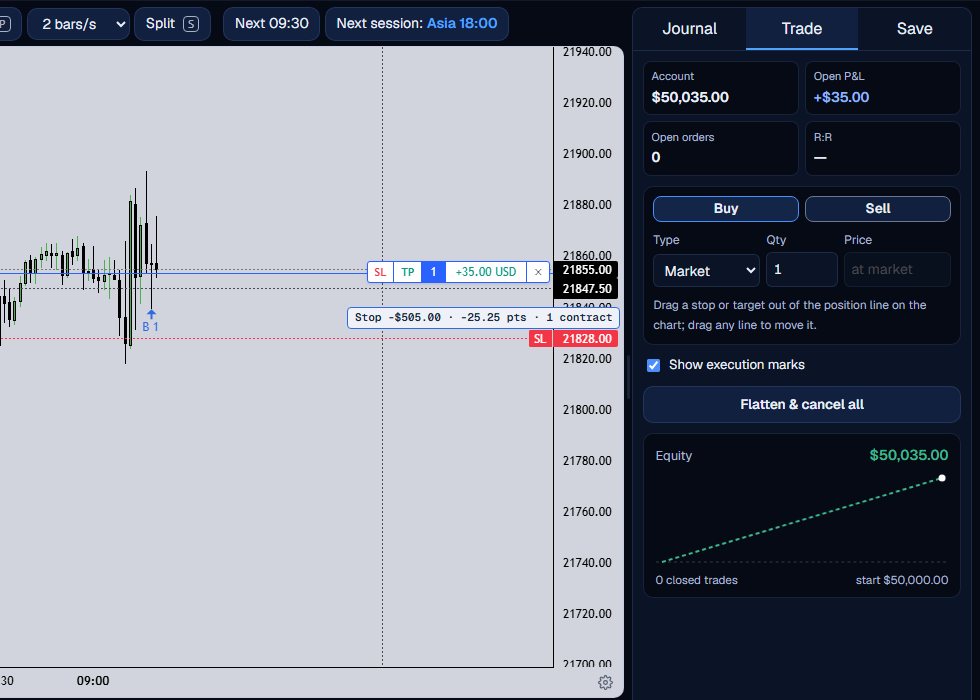
Press the SL handle and drag away from the entry. A red ghost line follows, and a label reads the dollars, the points and the contracts the stop would lose. Release to place it.
Drag out the target
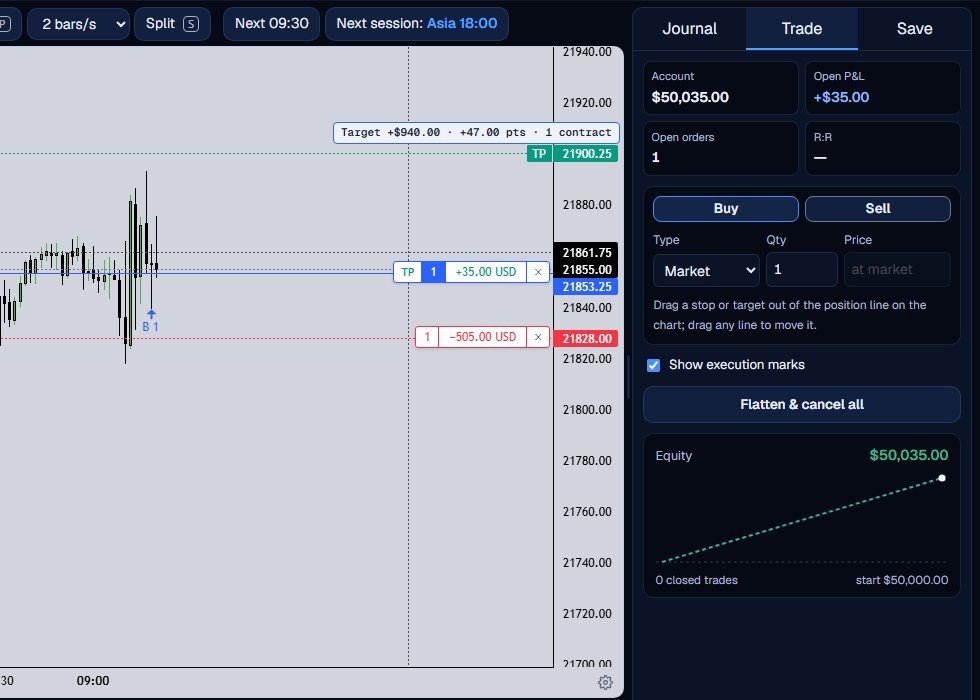
Do the same with the TP handle in the other direction. The label shows what the target would pay.
Read the R:R
With both set, the R:R figure shows the target distance over the stop distance, measured from the average entry price.
Let the replay decide
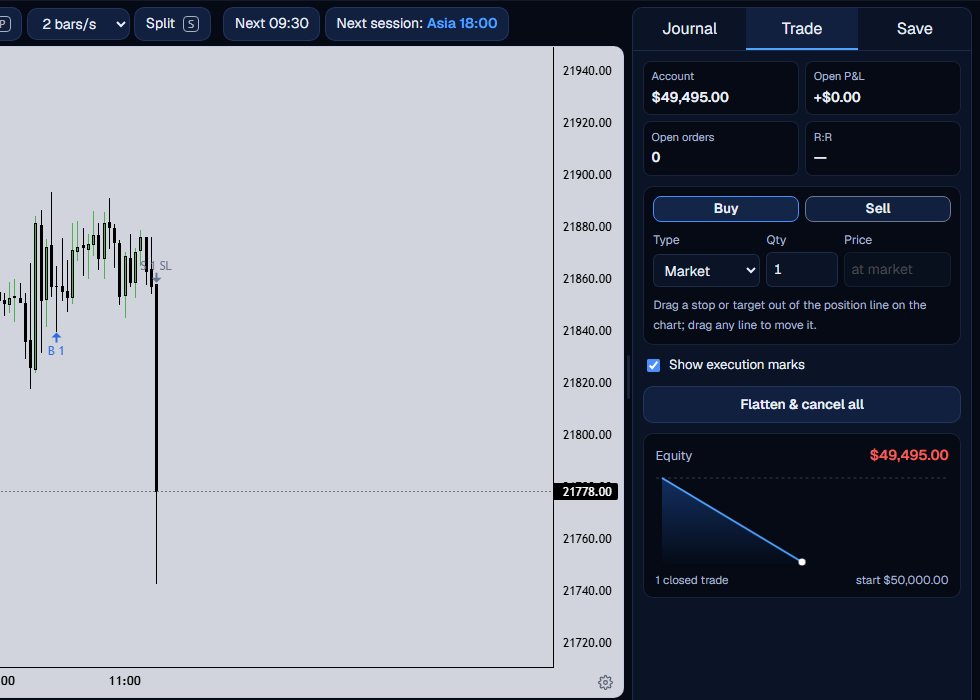
Step forward. If price touches the stop or the target, the position closes there. If a bar touches both, the stop fills, because the Lab cannot know which came first inside a 1-minute bar.
Details that matter
The label shows points from the entry price times the contracts times the point value; commission is not included. Drag any line to move it later, and press the x on its tag to cancel it. You can also right-click the chart while a position is open and choose Set stop loss or Set take profit at that price.
A gap through a stop fills at the open, which can be worse than the stop price. A position is also closed when the contract rolls and at the end of the data.
The stop and the target are separate working orders, so each counts in the Open orders figure while it waits. Moving a line changes only that order, and the R:R figure follows the lines as you drag them.
Where you put the stop is the part of a trade you control before it starts. Writing the reason for it in the journal, before you step, makes the later stats easier to read.
If one bar touches both the stop and the target, the stop fills.
What the Trade Lab does not do
The Trade Lab replays history. It has no live data, and no real order is ever placed. Paper fills are modelled on 1-minute bars, so they approximate real fills.
Each account can read 40 distinct 1-minute sessions and start 5 new runs per UTC day, and it needs a verified email. The Lab itself is free.
Questions and answers
How do I set a stop loss in a futures replay?
Open a position, then drag the SL handle on the position tag away from the entry to the price you want and release.
How do I set a take profit?
Drag the TP handle the other way, or right-click the chart at the price and choose Set take profit.
What if the stop and target are in the same bar?
The stop fills. A 1-minute bar does not say which price came first, so the Lab takes the cautious side.
Does the label include commission?
No. The dragged label is points times contracts times the point value. Commission is charged when the trade closes.
Can I set the stop before I enter?
Not with the ticket. The stop and target are dragged out of a position, or set from the right-click menu while one is open.